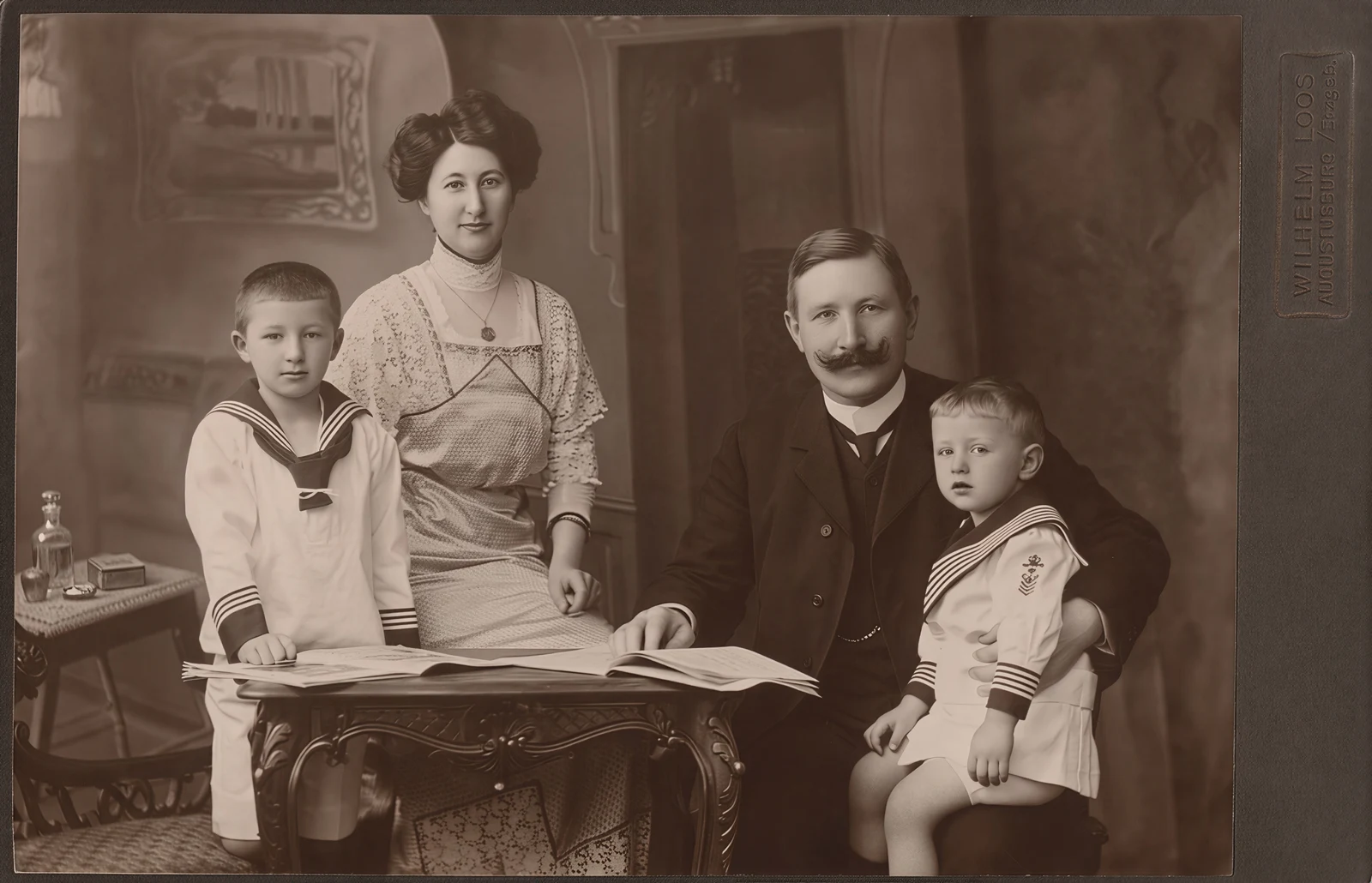
Digital frame preview · illustrative example
A family photo, shared across generations
Explore this examplePhoto: Studio of Wilhelm Loos; digital scan by pellethepoet. CC BY 2.0. Source. Reduced and AI enhanced.
A family snapshot, a wedding moment, the view you still think about. Custom photo framing starts with the best file you have. Upload it, inspect the enhanced proof, and choose a print size that does the memory justice.
Upload Your PhotoSee the possibilities
Explore three sample photographs, their actual enhancements, and the choices that shape a framed print. Each example uses a permitted image and a clearly labeled, illustrative scenario.
Digital frame preview · illustrative example
Photo: Studio of Wilhelm Loos; digital scan by pellethepoet. CC BY 2.0. Source. Reduced and AI enhanced.

Digital frame preview · illustrative example
Photo: Ales Krivec. CC0 1.0. Source. Reduced and AI enhanced.
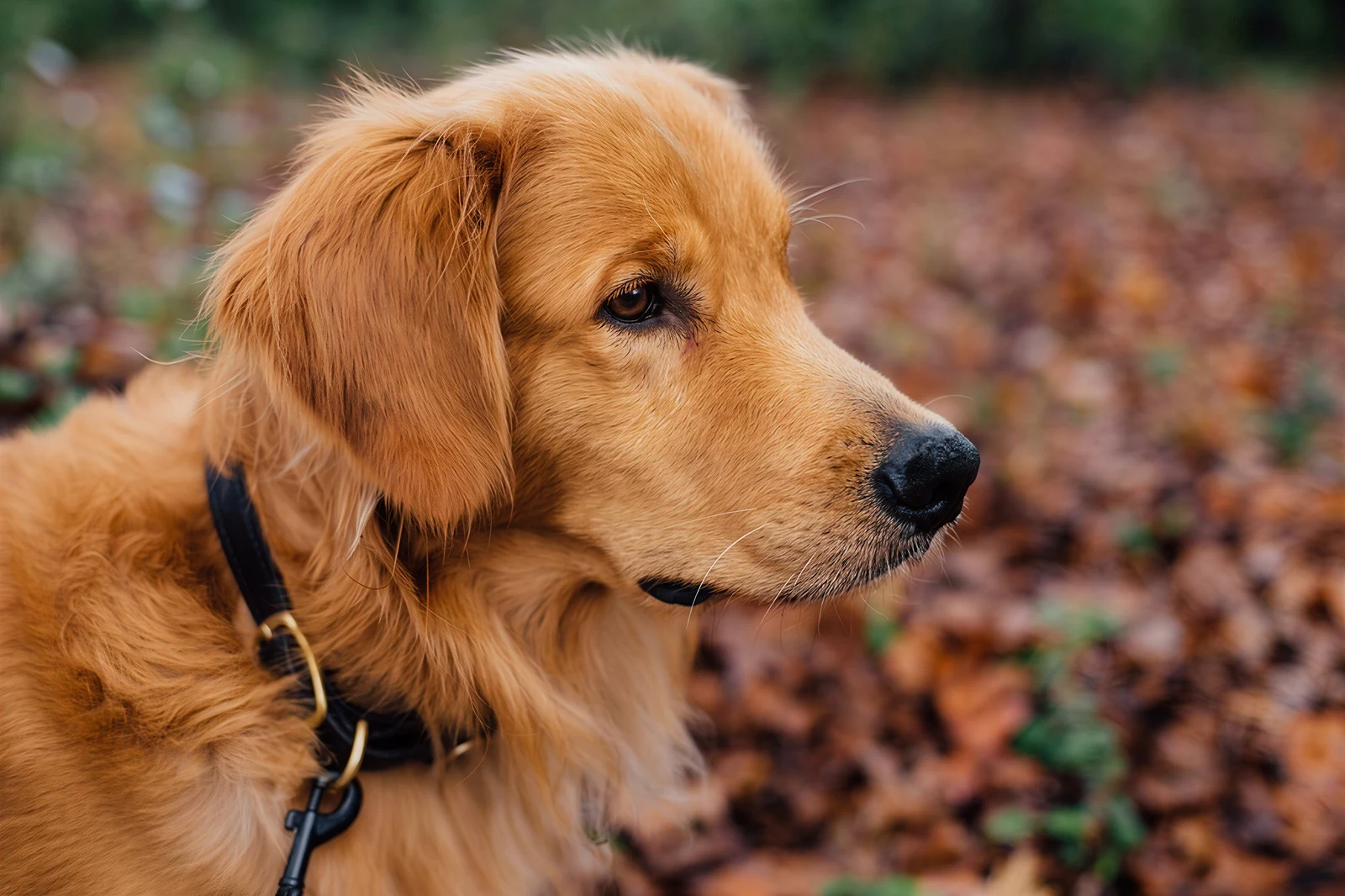
Digital frame preview · illustrative example
Photo: Tanner Vines. CC0 1.0. Source. Reduced and AI enhanced.
From the photo you have to the frame you love
You can frame an old scan, a phone favorite, or a low-resolution photo with Frameable. Upload the best copy you have, inspect the enhanced proof, then choose a size and frame. Upscaling can improve print resolution, but a bigger file alone does not establish that a face, expression, or detail is faithful to the original.
Inspect a real before-and-after exampleMake a clean scan or phone capture first. Keep glare off faces and preserve the edges that tell the story.
Make a better digital copyStart with the original camera-roll file. A copy saved from a message or social app may contain less detail.
Prepare a phone photoA small or blurry file deserves a careful preview. Check recognizable details before committing to a larger print.
Know what to check in the proofCompare faces and fine details with the original, then inspect the crop. Leave room for every person and any handwriting you want to keep. A faithful but soft photo may suit a smaller print. If enhancement changes something important, ask for help or try a better source before ordering.
Check the print sizes your photo supports| Size | Print only | Framed from |
|---|---|---|
| 8×10" | $39 | $79 |
| 11×14" | $49 | $99 |
| 16×20" | $69 | $139 |
USD. Framed starting prices exclude optional matting and premium frame upgrades. Shipping and any applicable tax are calculated at checkout.
Compare all frame sizesFree preview. No account required. Order when you are ready.
Upload a JPG, PNG, HEIC, or WEBP from your phone or computer. A clean scan or careful phone capture can give an old printed photo a new place on the wall.
Preview the enhanced image before you order. Compare faces, textures, and the crop with your original, then choose a size and frame that suit the result.
Choose a solid wood frame and optional matting. Framed prints are made to order in the USA; production typically takes 3–5 business days before shipping.
Use the original camera file or best scan when available. If a screenshot or shared copy is all you have, you can still check it. Smaller files need closer attention to faces, compression, and print size.
More pixels do not guarantee a faithful likeness. Compare the original and enhanced proof around eyes, smiles, glasses, and hair. If an important detail changes, pause before ordering and ask for help.
A smaller print can be the right home for a soft or heavily cropped photo. Check the usable pixels after cropping and inspect the proof before choosing a large size. Matting can give a smaller image more space around it.
Yes. Upload the original camera-roll file when possible. Frameable checks the file and lets you preview enhancement before ordering. The best print size depends on the source detail, crop, and how the proof looks.
Start with the pixels remaining after your crop. For example, a 2400 × 3000 pixel image has 300 pixels per inch at 8 × 10 inches and 150 at 16 × 20 inches. These are size estimates, not sharpness guarantees: check faces and textures in the proof too.
Often, yes. Scan the old print or photograph it flat, evenly lit, and without glare. Upload that digital copy to inspect the result. Severe blur, damaged areas, or very small faces can limit how far the photo should be enlarged.
Upscaling adds pixels and can improve perceived detail, but it does not establish what a missing detail originally looked like. Scratches, stains, and torn areas may need separate restoration. For family photos, compare any enhanced face with the original before ordering.
A digital preview helps you check enhancement, composition, and framing. Screens and paper display color differently, so the preview is not a guarantee of an exact color match in your room.
Prints from $39 · Framed from $79 · Free shipping within the US
Upload Your Photo_(11496260046).jpg)
.jpg)
.jpg)